Security tools and exposure checks are often associated with corporate infrastructure, data centres, and cloud deployments. But the public internet does not distinguish between a business server and a home broadband connection. Any device with a public IP address can be scanned, probed, and targeted — including residential routers, home NAS devices, and consumer-grade equipment that was never designed to face the open internet.
This case shows what happens when a routine check is run against a residential IP address and returns findings that would concern any security-conscious user.
What the check returned
A check against the target returned a HIGH RISK finding under the Dev and admin interfaces group:
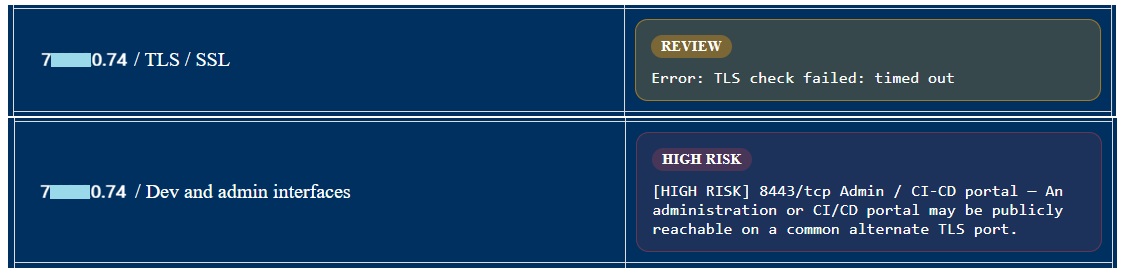
Port 8443/tcp was identified as publicly reachable and flagged as a potential administration or CI/CD portal on a common alternate TLS port. The TLS check against standard port 443 returned a timeout, consistent with that port being filtered or unused on this host.
The public target is masked as 7*0.74 in this case study.
Manual investigation
To understand exactly what was running on port 8443, a direct probe was made against the target:
$ curl -skL "https://7*0.74:8443/" -D - | head -60
HTTP/1.0 200 OK
Server: httpd/2.0
x-frame-options: SAMEORIGIN
x-xss-protection: 1; mode=block
Date: Wed, 22 Apr 2026 08:21:49 GMT
Content-Type: text/html
Connection: close
<HTML><HEAD><script>window.top.location.href='/Main_Login.asp';</script>
</HEAD></HTML>
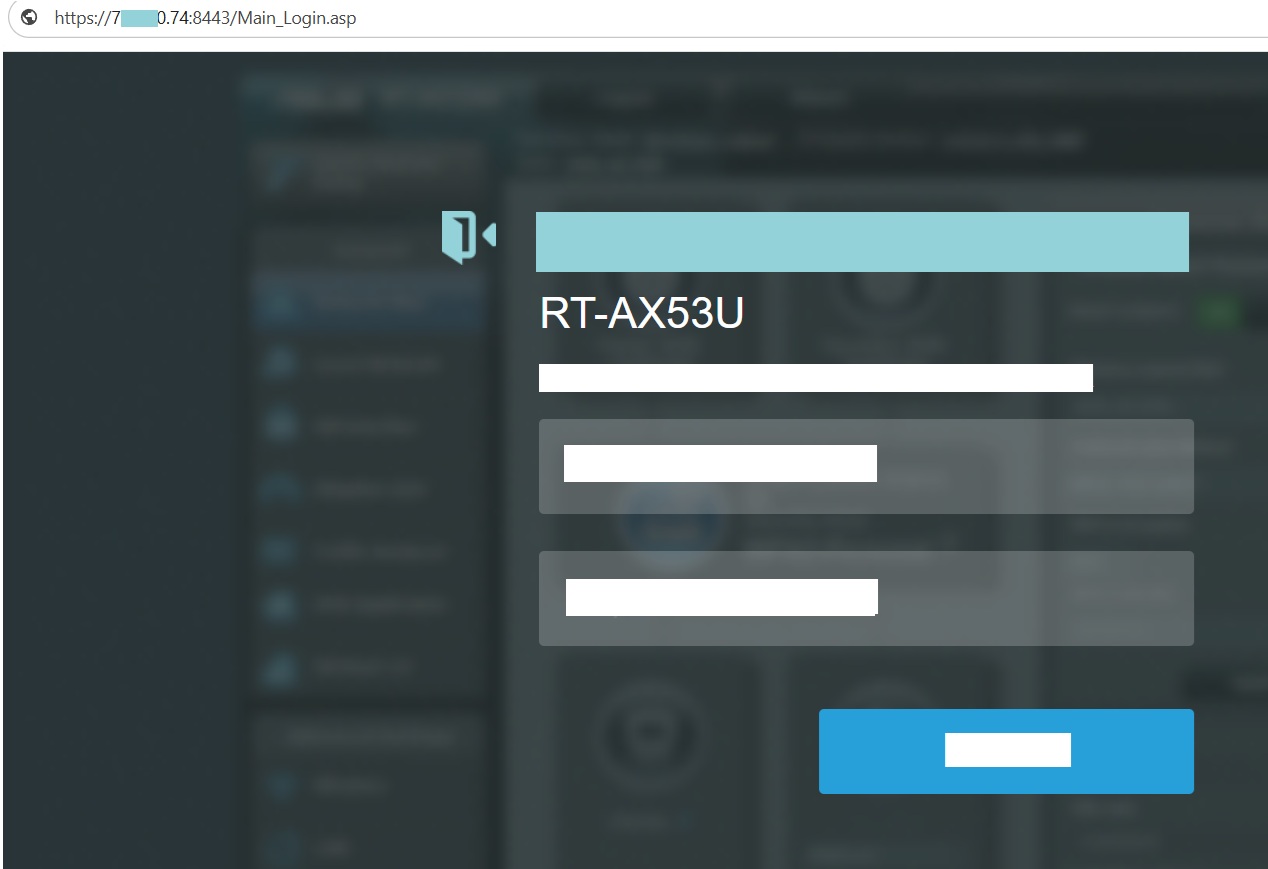
The response immediately redirected to /Main_Login.asp — the
login page of an ASUS router web administration interface. This is not a
business system or a cloud service. It is a consumer broadband router with
its admin panel directly reachable from the public internet.
The TLS certificate was inspected next to determine how current the device configuration is:
$ echo | openssl s_client -connect 7*0.74:8443 2>/dev/null \
    | openssl x509 -noout -subject -issuer -dates
subject=C = US, CN = router.asus.com
issuer=C = US, CN = router.asus.com
notBefore=May  5 05:05:54 2018 GMT
notAfter=May  5 05:05:54 2019 GMT
The certificate is self-signed, issued by router.asus.com, and expired in May 2019 — over seven years ago. A certificate this old strongly indicates the router firmware has not been updated since at least 2018 or early 2019.
What this means in practice
Two separate problems are present here, each significant on its own. Together they describe a device that has been left exposed and unattended for years.
- The admin interface is publicly reachable. Anyone on the internet can open a browser, reach the login page, and attempt to gain access. ASUS router admin panels have historically been targeted by automated scanners probing for default credentials and known authentication bypasses.
- The firmware is almost certainly outdated. A TLS certificate generated in 2018 and expired in 2019 is a reliable indicator that the router has not received a firmware update in years. Devices running firmware from that period are likely affected by multiple known CVEs, some of which allow unauthenticated remote code execution.
- The certificate is self-signed and expired. Any connection to this admin panel over HTTPS is not verified by a trusted certificate authority, and the certificate itself has been invalid for over six years.
Recommended actions
- Disable remote management from the WAN side immediately. Most home routers expose this as a toggle in the administration settings under remote access or WAN settings.
- Update the router firmware to the latest version available from the manufacturer.
- Change the default admin credentials if they have not already been changed.
- If remote access to the home network is genuinely needed, use a VPN rather than exposing the router admin panel directly.
- Consider replacing hardware that is no longer receiving firmware updates from the manufacturer.
A check that takes seconds to run against a residential IP revealed a consumer router admin panel that has been exposed to the internet — likely running vulnerable firmware — for years. This is not an exposure that requires sophisticated tools to find. Automated scanners catalogue exactly this kind of target continuously.